How to Book a Doctor Appointment
Follow these simple steps to book a doctor appointment using your phone. No need to wait in long lines at the hospital.
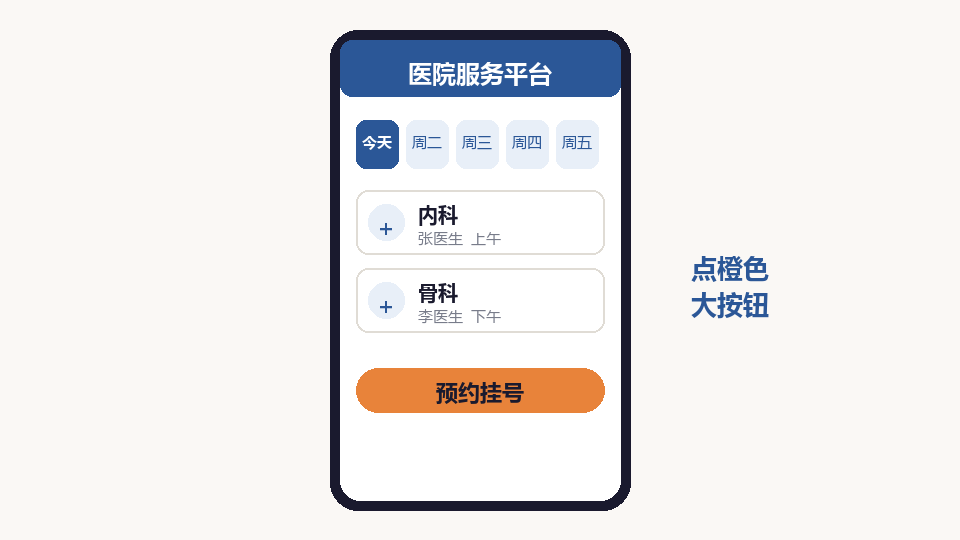
Open the Hospital App
Find the hospital app on your phone. Common apps include health department platforms or your local hospital app. If you do not have one, ask your children to help you install it.
Search for Your Hospital
Type the name of your hospital in the search bar. Make sure you select the correct hospital, as some cities have multiple branches.
Select the Department
Choose the department you need, such as Internal Medicine, Cardiology, or Orthopedics. If you are unsure, ask your family or choose General Internal Medicine.
Choose a Doctor and Time
Browse available doctors and time slots. Pick a date and time that works for you. Morning slots are usually easier to get.
Confirm and Pay
Review your appointment details and pay the registration fee. Most apps accept WeChat Pay or Alipay. The fee is usually small.
View Your Appointment
After booking, you will receive a confirmation. Check the app for your appointment number and queue position before going to the hospital.
Arrive at the Hospital
Arrive 30 minutes early. Go directly to the department floor and wait for your number to be called. Bring your ID and insurance card.