Buying Train Tickets Online
Book train tickets from home using the official 12306 app. No need to go to the station ticket window.
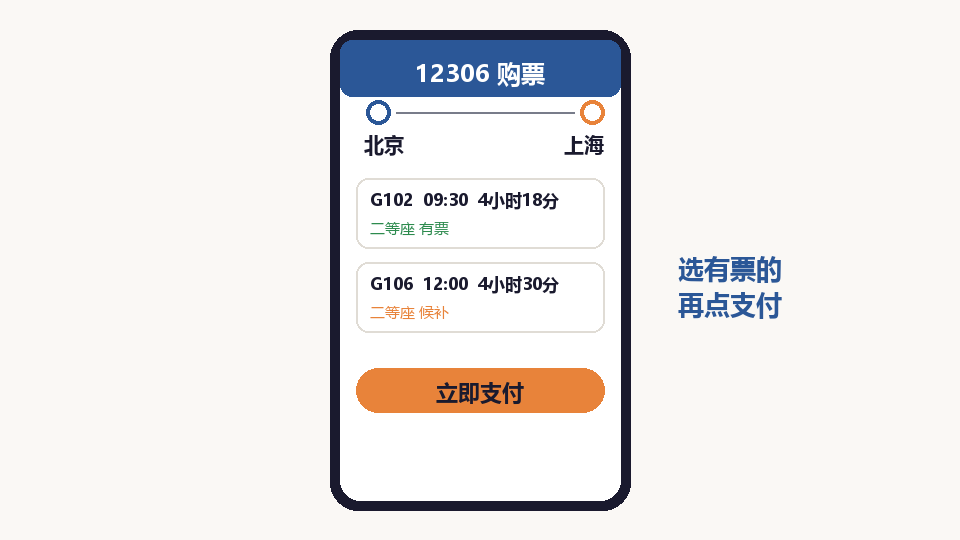
Open the 12306 App
The official railway app is called 12306. If you do not have it, ask your children to help you install it from the official app store.
Search for Your Route
Enter your departure city and destination city. Select the date you want to travel. The app will show all available trains.
Choose Your Train
Compare trains by departure time, duration, and price. High-speed trains (G/D series) are faster. Regular trains (K/T series) are cheaper.
Select Seat Type
Choose your seat type: Second Class is affordable, First Class is more comfortable, Business Class is premium. For short trips, Second Class is fine.
Add Passenger Information
Enter the name and ID number of each passenger. Make sure the information matches your ID card exactly.
Pay for Your Ticket
Pay using WeChat Pay, Alipay, or bank card. After payment, your e-ticket is stored in the app.
Collect Your Ticket or Use E-Ticket
At the station, you can use your ID card directly at the gate for e-ticket entry, or print a paper ticket at the self-service machines.