WeChat Complete Guide
Master the most useful WeChat features step by step. From chatting with family to paying at stores.
Open WeChat
Find the WeChat icon on your phone. It is a green icon with two chat bubbles. Tap it to open.
Add Contacts
Tap the "+" button at the top right, then "Add Contacts." You can search by WeChat ID or phone number, or scan a QR code.
Send Messages
Tap a contact name to open a chat. Type your message and tap Send. You can also send voice messages by holding the microphone button.
Make Video Calls
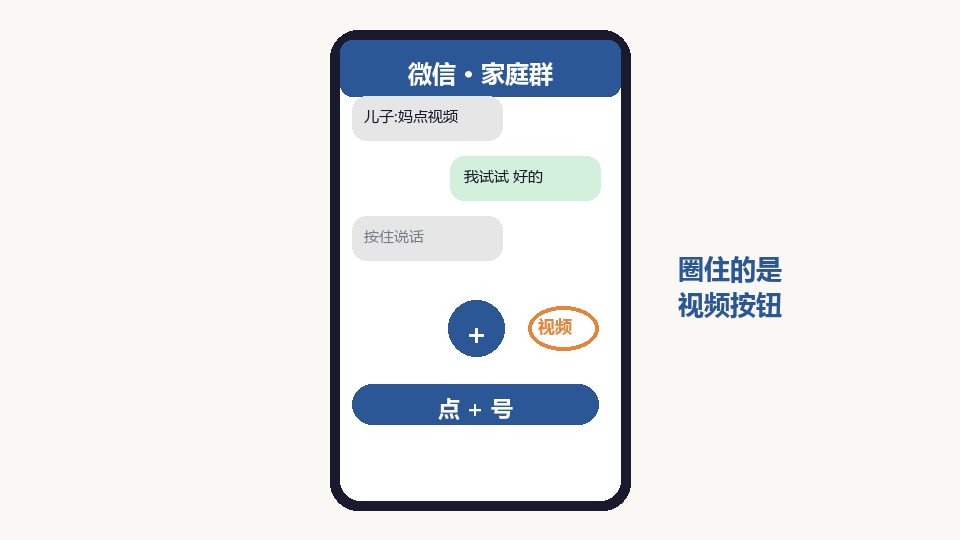
In a chat, tap the "+" icon and select "Video Call." This lets you see your family face-to-face, even from far away.
Use WeChat Pay
Tap "Me" then "Pay" to set up WeChat Pay. You can pay at stores by scanning QR codes, send money to friends, and pay bills.
Order Groceries
In WeChat, tap "Discover" then "Mini Programs." Search for grocery delivery apps. You can order fresh food and daily necessities delivered to your door.
Stay Safe on WeChat
Do not click unfamiliar links. Do not transfer money to strangers. If someone asks for money through a new number, call your family to verify first.